Description
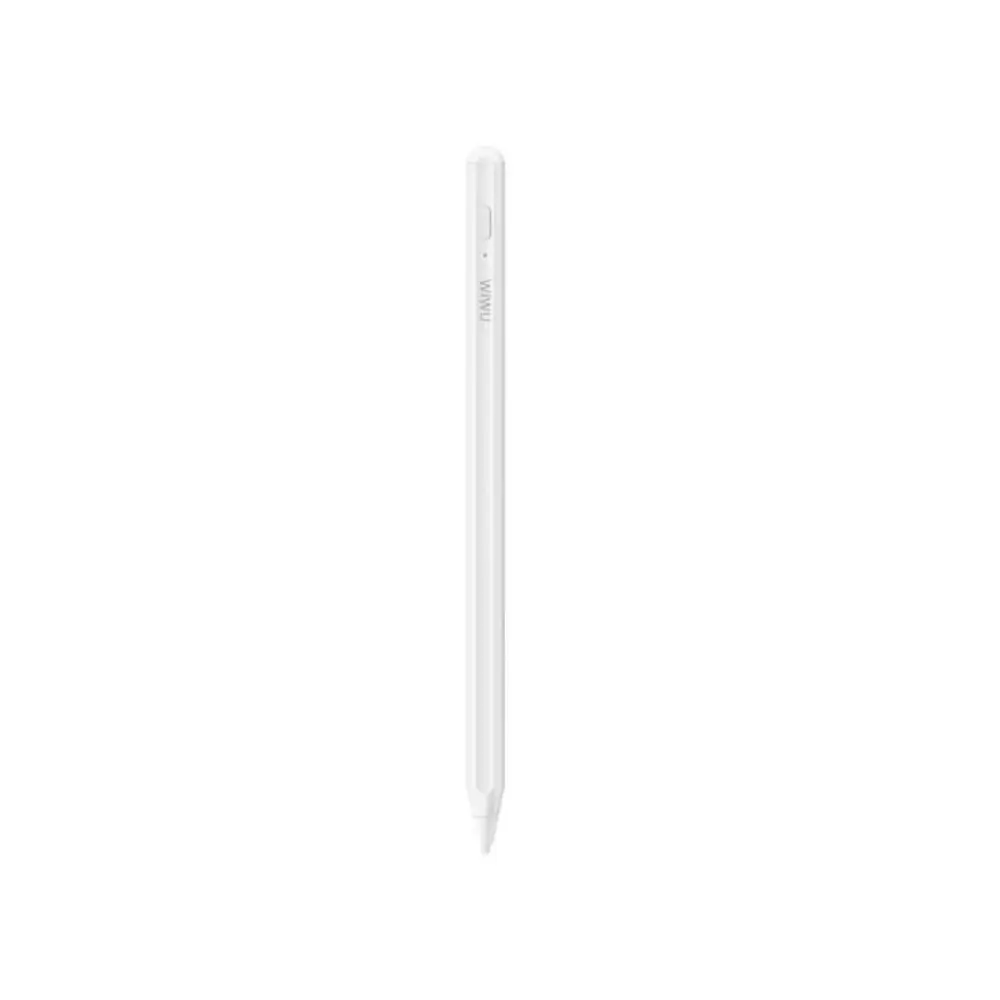
The WIWU Pencil D Universal Stylus Pen gives you smooth, accurate input on your iPad, so writing and drawing feel natural. Its palm rejection lets you rest your hand on the screen without stray marks, which is the biggest benefit for anyone who writes or sketches for long stretches.
The matte white body is lightweight and comfortable to hold. It suits lecture notes, office annotations, quick sketches and digital artwork. If you are searching for a reliable wiwu stylus pen for everyday iPad use, the Pencil D covers the essentials: tilt support, magnetic attachment and fast USB-C charging.
Key Features
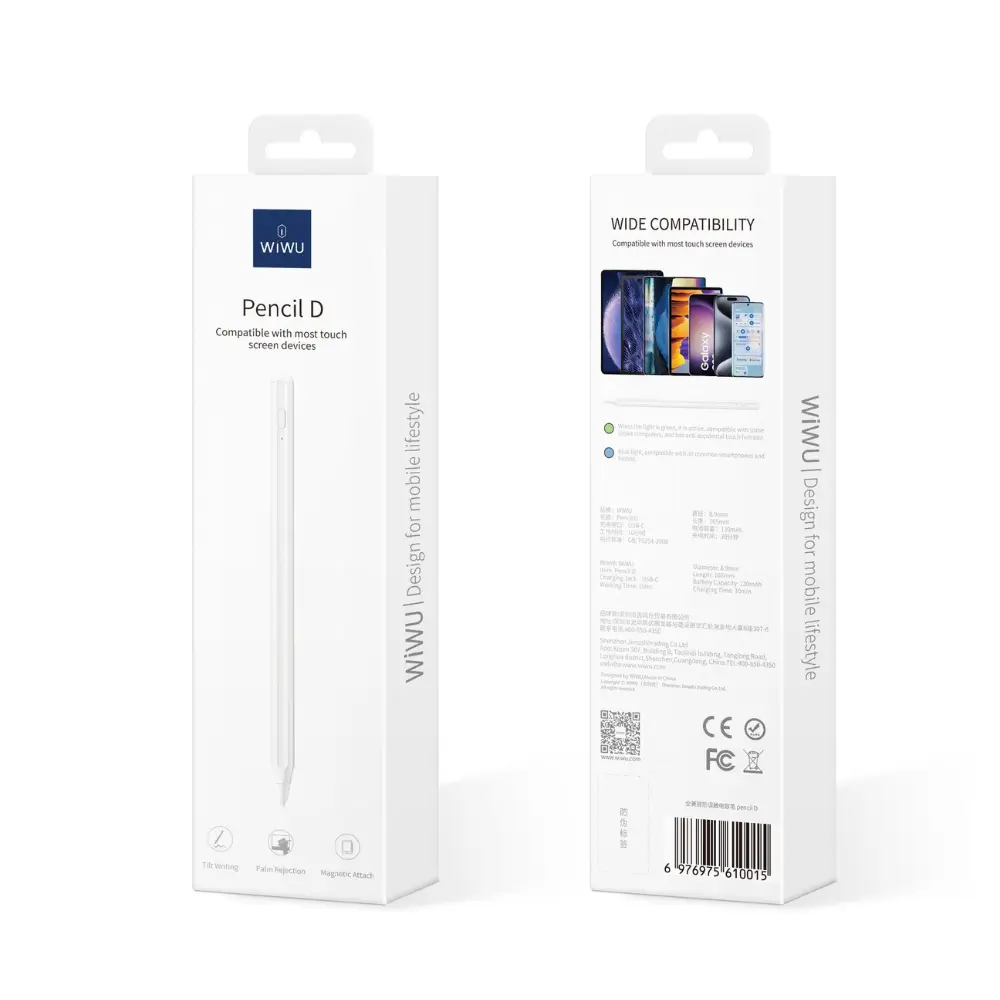
- Palm Rejection: Rest your hand on the screen while you write or draw. Your strokes stay clean, and notes and sketches come out neater.
- Tilt Support: Angle the pen to change line thickness and shading. This gives you more control for digital painting, graphic design and expressive handwriting.
- Magnetic Attachable Design: The pen sticks to your tablet when you are not using it. You are less likely to misplace it, and it is always within reach.
- One-Button Control: A single dedicated button turns the pen on or off instantly, so there are no complicated steps before you start writing.
- LED Indicator: The light shows the connection and battery status. You can see at a glance whether the pen is ready or needs charging.
- Auto Power Off After 5 Minutes: The pen shuts down by itself when idle. This saves battery and cuts down on unnecessary recharging.
- USB Type-C Fast Charging: A full charge takes about 60-80 minutes, so the pen is back in use quickly and works with the Type-C cable you probably already own.
Why Choose WIWU Pencil D Universal Stylus Pen
Many people want a capable stylus without a complicated setup. The WIWU Pencil D Universal Stylus Pen keeps things simple. You press one button, see the status on the LED, and start writing, with palm rejection and tilt support helping you work more precisely.
It is also practical day to day. You can charge it from a power bank, PC, tablet or 5V adapter, so you are rarely stuck without a way to power it up. Students, professionals and creative users looking for a dependable wiwu stylus pen for their iPad will find the Pencil D a good balance of features and convenience.
Best Use Cases
- Students: Take handwritten notes and annotate study material.
- Professionals: Mark up documents, sign files and sketch ideas during meetings.
- Creative Users: Draw, paint and shade with tilt control.
Technical Specifications
| Specification | Details |
|---|---|
| Brand | WIWU |
| Model | Pencil D |
| Product Type | Universal stylus pen |
| Finish | Matte white |
| Compatible Device | iPad |
| Palm Rejection | Supported |
| Tilt Function | Supported |
| Magnetic Attachment | Supported |
| Status Light | Built-in LED indicator |
| Power Switch | Dedicated one-button control |
| Auto Shut-Off | After 5 minutes of inactivity |
| Charging Port | USB Type-C |
| Full Charge Time | Approx. 60-80 minutes |
| Power Sources | Power bank, PC, tablet or 5V/2A adapter |
Compatibility
- Compatible with iPad devices.
- Charges from a power bank, PC, tablet or a 5V/2A adapter through its USB Type-C port.
Frequently Asked Questions
What is the WIWU Pencil D Universal Stylus Pen used for?
It is used for handwriting, note-taking, sketching and digital art on iPad. Palm rejection and tilt support make writing and drawing more precise.
Does the WIWU Pencil D support palm rejection?
Yes. You can rest your palm on the screen while writing or drawing without creating unwanted marks.
How long does the WIWU Pencil D take to charge?
A full charge takes about 60-80 minutes through the USB Type-C port.
What can I use to charge the WIWU Pencil D?
You can charge it with a power bank, PC, tablet or a 5V/2A adapter.
Does the stylus turn off automatically?
Yes. It shuts down after 5 minutes of inactivity to save battery.
Can I attach the WIWU Pencil D to my iPad?
Yes. Its magnetic attachable design lets you keep the pen on your tablet when you are not using it.
Which devices is this wiwu stylus pen compatible with?
The listed compatibility is iPad. Please confirm your device is an iPad before ordering.
No reviews yet. Bought this? Tell others how it works for you.