Description
HOCO GM203 2-in-1 Laser Pointer Wireless Presentation Clicker with Digital Battery Display
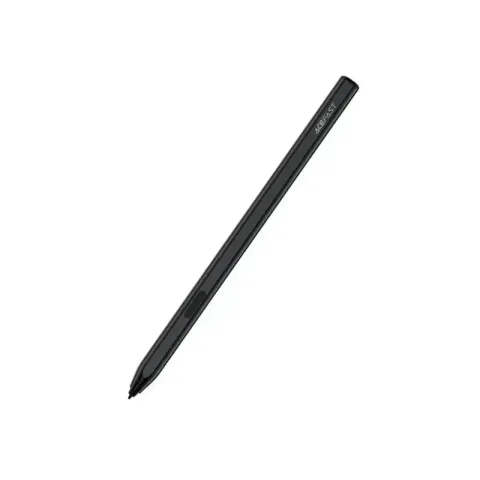
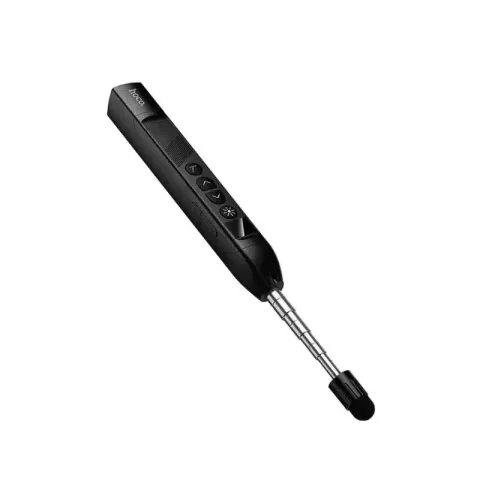
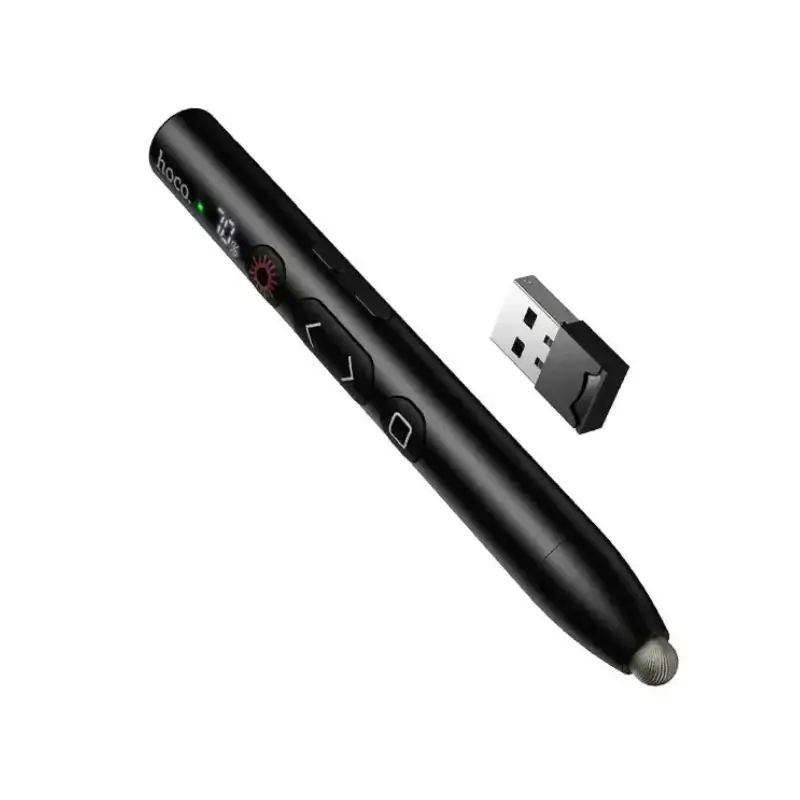
Running a smooth presentation gets a lot easier with the HOCO GM203 Wireless Presentation Clicker, a 2-in-1 laser pointer and stylus built for professionals, students, and public speakers who need reliable slide control from anywhere in the room. Instead of hovering near a laptop to change slides, this compact clicker lets you move freely while highlighting key points on screen with its precise red laser.
Designed with a built-in 180mAh rechargeable battery and USB charging, the HOCO GM203 wireless presenter remote eliminates the hassle of replacing disposable batteries before every meeting or lecture. A digital battery display keeps you informed of remaining power, so you're never caught off guard mid-presentation.
Whether you're pitching to clients, teaching a classroom, or presenting at a conference, this HOCO laser pointer combines everyday practicality with dependable performance in a lightweight, pocket-friendly design.
Key Features
- 2-in-1 Laser Pointer & Stylus Function: Point to key details on your slides with the red laser, or use the stylus tip for touchscreen navigation — one device covers two practical needs.
- Wireless Slide Control: Change slides from a distance without returning to your laptop, keeping your presentation flow natural and uninterrupted.
- 180mAh Rechargeable Battery: Skip disposable batteries entirely; a quick USB charge keeps the clicker ready for repeated use.
- Digital Battery Display: Instantly check remaining battery life so you can charge ahead of time and avoid mid-presentation surprises.
- Durable ABS Build: A lightweight yet sturdy construction that withstands daily use in bags, pockets, and on the go.
- Compact, Portable Design: At just 143.5 × 16.5 × 15 mm and 22g, it slips easily into a laptop bag or pocket without adding bulk.
Why Choose This Product
The HOCO GM203 wireless presentation clicker stands out for anyone who presents regularly — teachers, sales professionals, students, and office teams. Its rechargeable design means fewer trips to buy batteries and more consistent performance meeting after meeting. The digital battery display adds a layer of confidence, letting you glance down and know exactly how much charge is left before you walk into an important presentation.
Beyond slide control, the added stylus function gives it extra everyday value for anyone working across touchscreen devices, making it more versatile than a standard presenter remote. It's a practical, low-maintenance tool that quietly improves how you present, without adding complexity.
Best Use Cases
- Office presentations and client pitches
- Classroom teaching and academic lectures
- Conference and seminar speaking
- Students preparing project presentations
Technical Specifications
| Specification | Detail |
|---|---|
| Model | HOCO GM203 |
| Function | 2-in-1 Laser Pointer & Stylus |
| Laser Type | Red Laser |
| Material | ABS |
| Battery Capacity | 180mAh Rechargeable Battery |
| Charging Method | USB Charging |
| Display | Digital Battery Display |
| Dimensions | 143.5 × 16.5 × 15 mm |
| Weight | 22g |
| Connectivity | Wireless Slide Control |
 Package Includes
- 1 × HOCO GM203 Wireless Presentation Clicker
- 1 × Velvet Storage Bag
- 1 × USB Charging Cable
Frequently Asked Questions
Is the HOCO GM203 compatible with PowerPoint and Google Slides?
Yes, this wireless presentation clicker works with standard presentation software including Microsoft PowerPoint, Google Slides, and Keynote once connected to your device.
How long does the battery last on a full charge?
The built-in 180mAh rechargeable battery is designed for extended use across multiple presentations, and the digital battery display lets you monitor charge levels at a glance.
Does it need disposable batteries?
No. The HOCO GM203 uses a rechargeable battery charged via USB, so there's no need to buy or replace disposable batteries.
What is the laser pointer range?
The red laser is designed for standard room and conference settings, giving clear visibility on screens from a practical presenting distance.
Can it be used as a stylus on touchscreens?
Yes, the built-in stylus tip allows for smooth navigation on compatible touchscreen laptops and tablets in addition to its laser pointer function.
Is the HOCO GM203 easy to carry while traveling?
Absolutely. Weighing just 22g and including a velvet storage bag, this HOCO laser pointer remote is compact enough to fit in any bag or pocket.
Does it come with a warranty?
Please check the current warranty terms on the product page, as coverage details are confirmed by Gadget Striker at the time of purchase.
No reviews yet. Bought this? Tell others how it works for you.